


Home / Guided tour
Follow one job from the plan sheet to payday.
Six real Pinnacle screens, in the order an electrical contractor uses them: count it, price it, run it, bill it, pay the crew.
Sample company. Summit Line Electric and every job, customer, person and number in this tour are made up for the demo.
1 Start here
Every job on one page
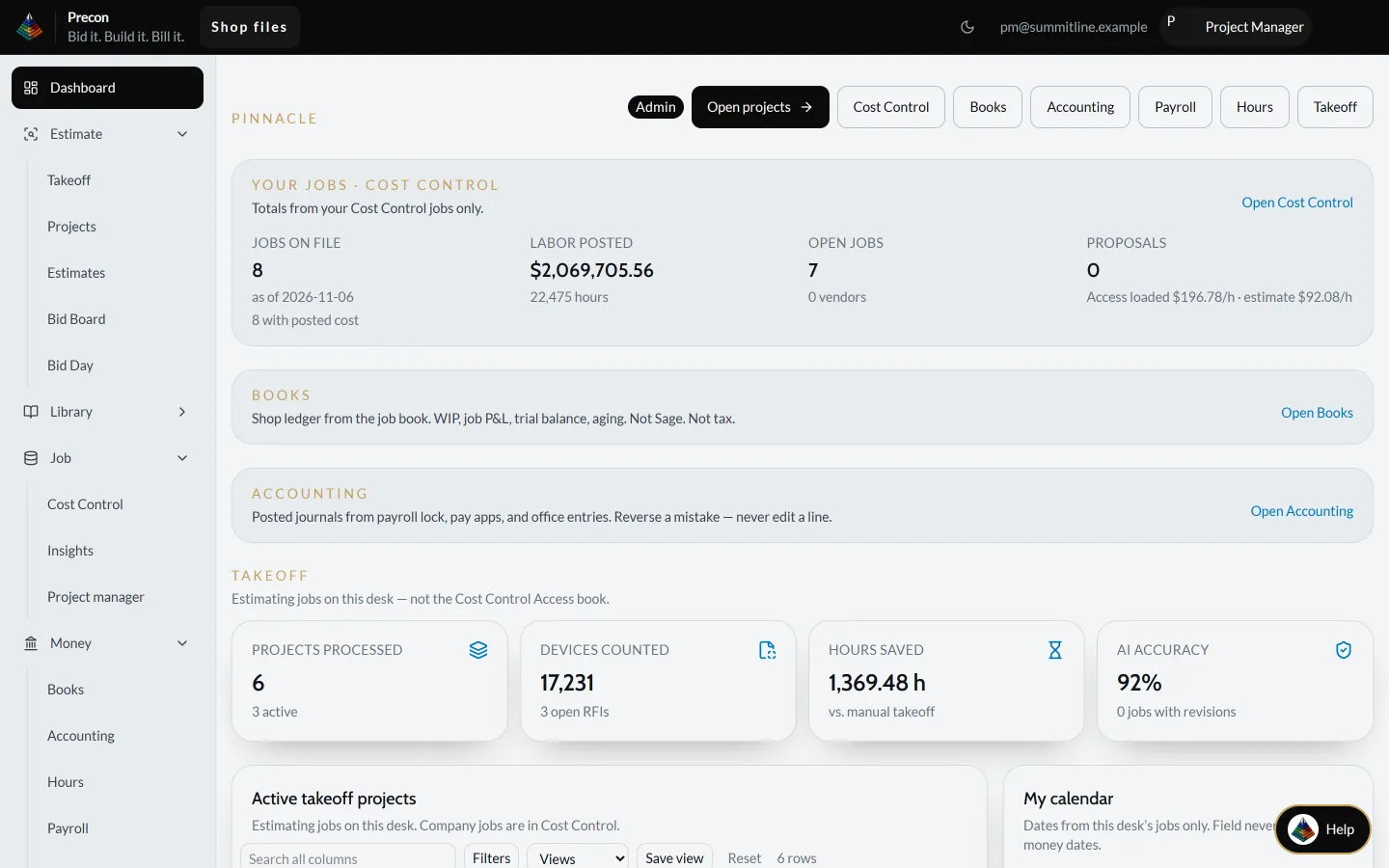
The morning starts on the dashboard: the company job book, the books, accounting and the estimating desk side by side.
What to look at
- 8 jobs on file and 7 open, with $2,069,705.56 of labor posted over 22,475 hours
- The estimating desk next to it: 6 takeoff projects and 17,231 devices counted
- One click to Cost Control, Books, Accounting, Payroll, Hours or Takeoff
2 Bid it
Count the plan sheet
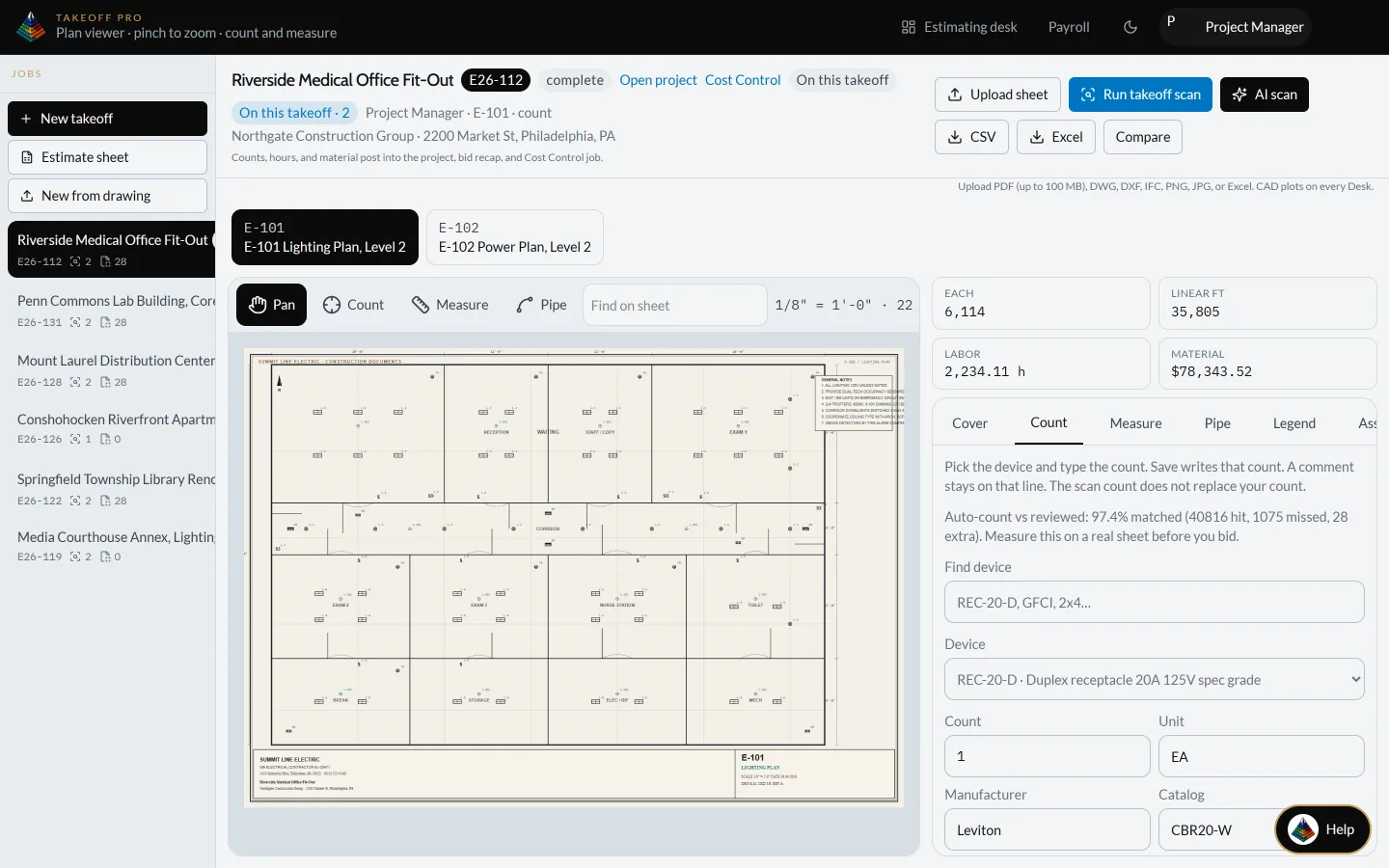
Job E26-112, Riverside Medical Office Fit-Out. The E-101 lighting plan is open and counted, with live totals beside the sheet.
What to look at
- 6,114 devices and 35,805 linear feet counted on the sheet
- 2,234.11 labor hours and $78,343.52 of material, worked out from the counts
- Export to CSV or Excel, or compare drawing revisions
3 Bid it
Check every line before it prices
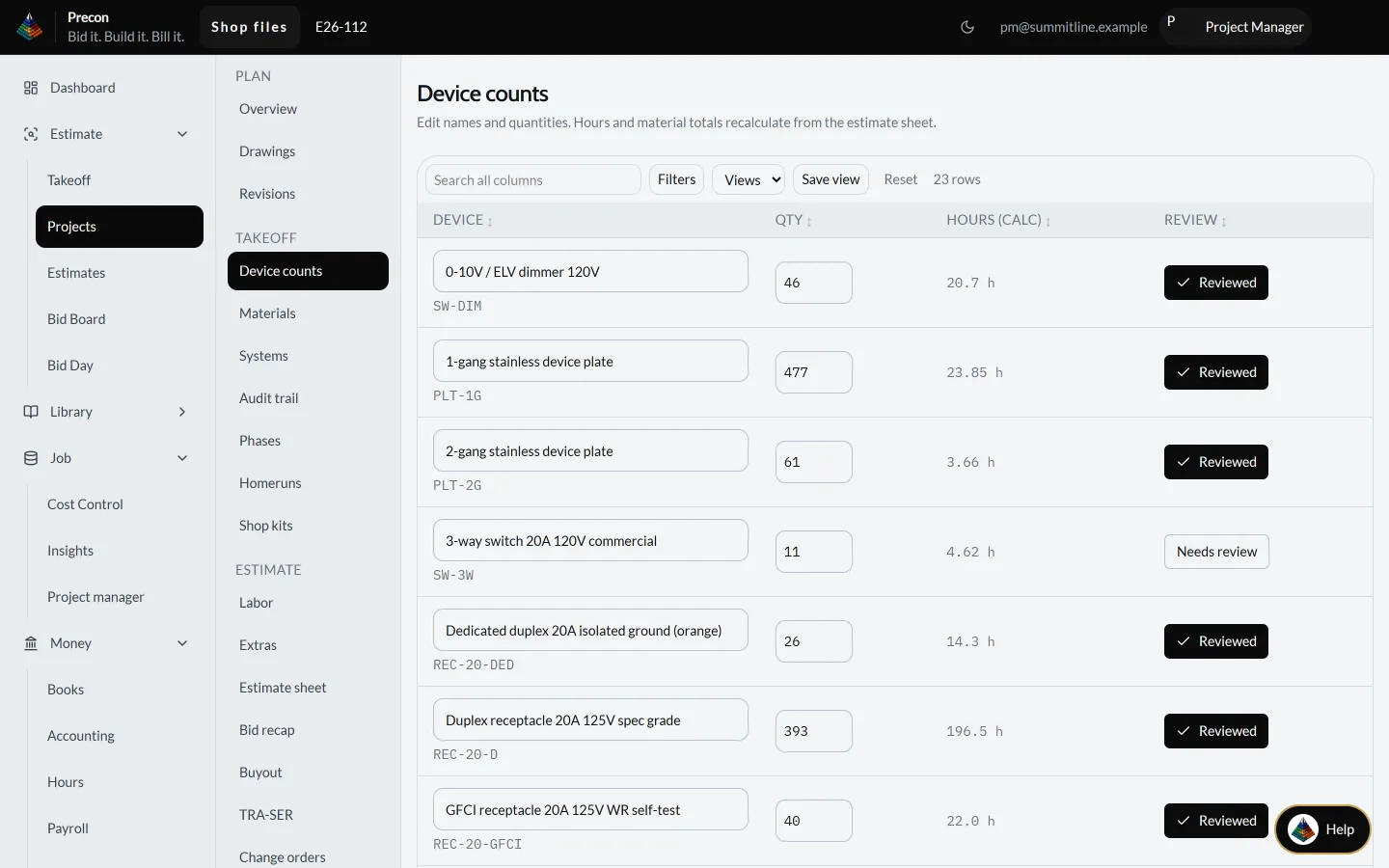
The counts land in the estimate as device lines. Change a quantity and the hours and material recalculate.
What to look at
- 23 device lines, each with quantity, calculated hours and a review mark
- 393 duplex receptacles come to 196.5 hours
- A line that is not checked yet says "Needs review", so nothing slips into the bid
4 Build it
Watch the job against the bid
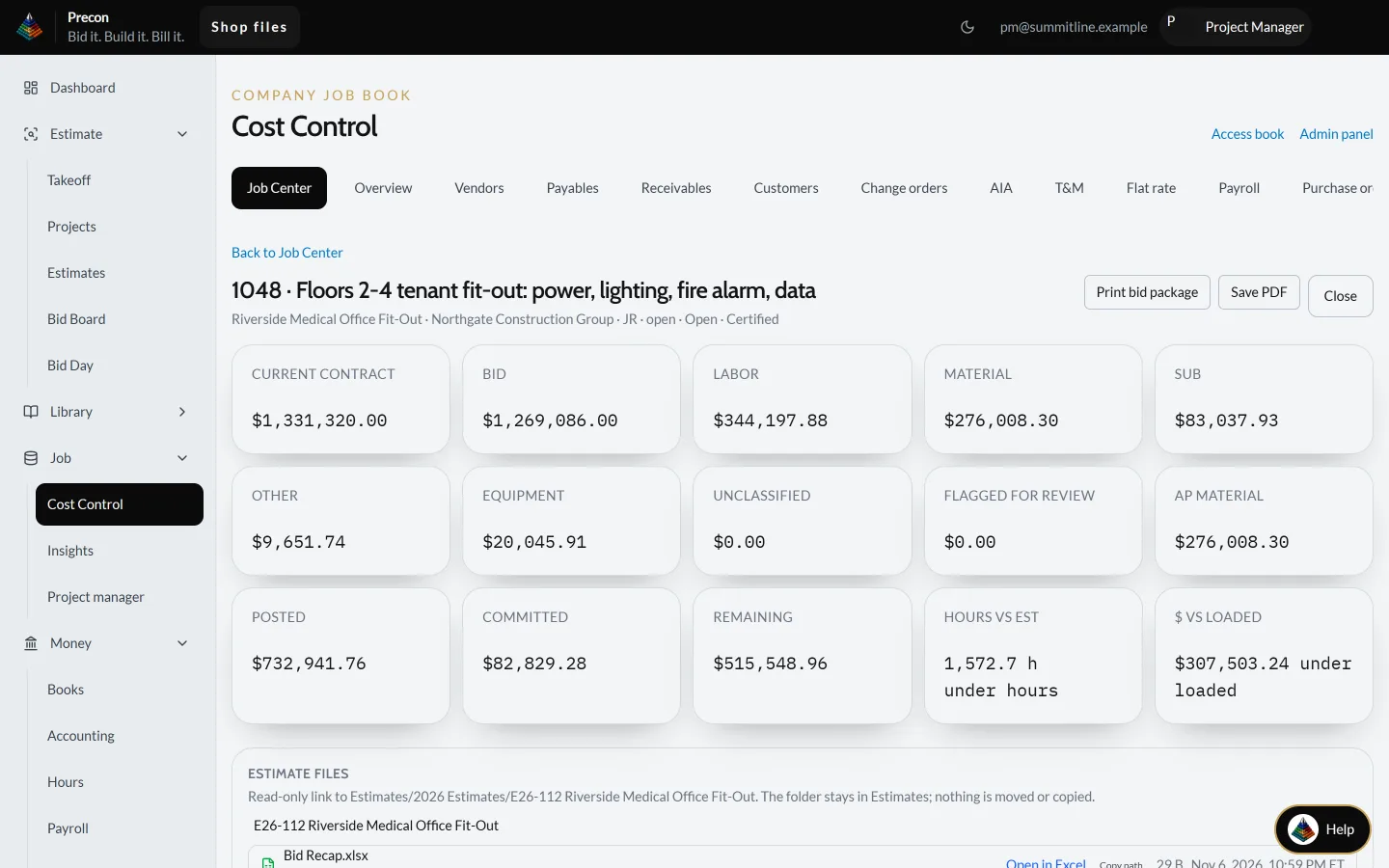
The same job won and running as job 1048 in Cost Control. Every dollar posted is held against the contract and the bid.
What to look at
- Current contract $1,331,320.00 against a bid of $1,269,086.00
- $732,941.76 posted, $82,829.28 committed, $515,548.96 remaining
- Labor, material, subs and equipment each on their own line, with 1,572.7 hours under estimate
5 Bill it
Build the pay application
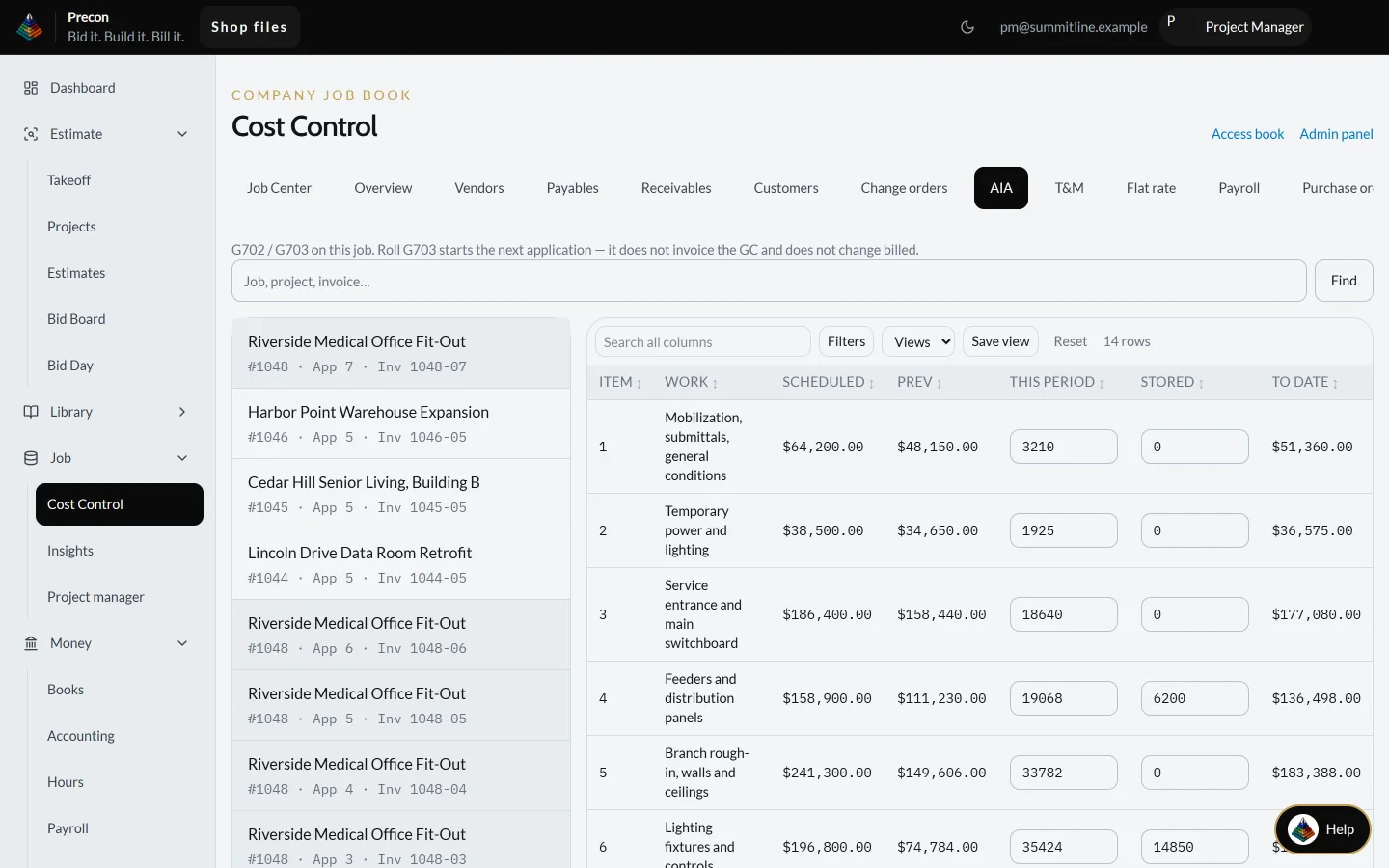
Pay application 7 for job 1048 on the AIA G702/G703, line by line from the schedule of values.
What to look at
- Each line shows scheduled value, previous, this period, stored material and to date
- Earlier applications 3 to 6 stay on the left, one click away
- Rolling to the next application does not invoice the GC on its own
6 Pay the crew
Run payroll for the week
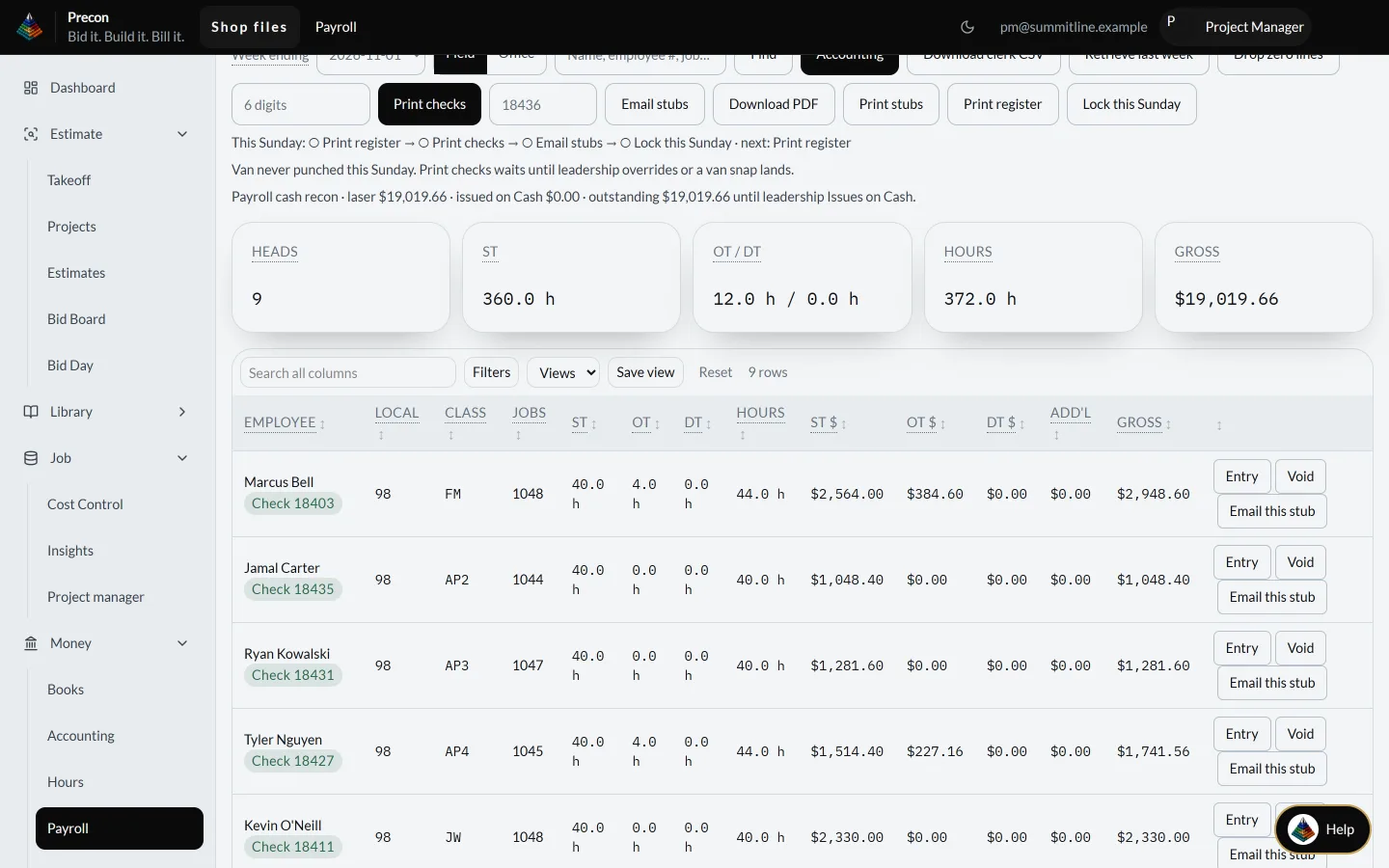
Week ending 2026-11-01: hours from the field become checks, stubs and a locked week.
What to look at
- 9 people, 360 straight-time and 12 overtime hours, $19,019.66 gross
- Each person shows local, class, job, hours and pay
- One path for the week: print register, print checks, email stubs, lock the Sunday
See it on your own jobs.
Pick what you want to see and we will walk you through it on work like yours.