
Today
Buyout sheets live in email while job cost still shows last month's budget.
 Bid it · on Pinnacle Office
Takeoff on the drawing. Every measurement becomes a quantity line in the estimate.
Bid itPinnacle Precon Build itPinnacle Cost Control
 Bill itPinnacle AIA Billing
 Pay the crewPinnacle Payroll
 Reach the officePinnacle Connect · Early access
 Close the booksWIP, job P&L and the trial balance
 Everything in Pinnacle OfficeThe full catalog, built today and Early accessOwnerSee every job and the books without building a report.
 EstimatorTake it off the drawings and build the number you will sell.
 Project managerRun the job against the number you sold.Office and bookkeepingBills, pay apps, hours and the books in one place.
 Takeoff from drawingsMeasure and count on the plan
 ProjectsJobs and bids in one listEstimatesBuild the number you will sell
 Bid boardEvery chase on one boardBid dayFinal numbers in one placeFreeze a bid snapshot and compare to liveDesigned to freeze a bid snapshot and compare to live · Early accessTrade content packs for each tradeDesigned to ship trade content packs for each trade · Early accessSuggest bids on the Bid BoardDesigned to suggest bids on the Bid Board · Early accessAI takeoff counts with human reviewDesigned to suggest AI takeoff counts for human review · Early accessEdit files in the browserDesigned to let you edit files in the browser · Early accessService billing desk for PMsDesigned to give PMs a service billing desk · Early accessJob chat with files and photosFiles and photos stay with the talkCost controlJob cost against the estimate
 InsightsMaking-and-spending chartsProject managerOne desk for a PM's jobs
 Change ordersSold number moves with scope
 Month-end and WIP cost to completeDesigned to project cost to complete on each job · Early access
 Cash Desk for collections and agingDesigned to give you a Cash Desk for collections and aging · Early accessCOI expiry and lien-waiver flagsDesigned to flag COI expiry and missing lien waivers · Early accessLabor fade early warning by systemDesigned to warn early when labor fades by system · Early accessThirteen-week cash forecastDesigned to project cash thirteen weeks out · Early accessReport builder, scheduled email, clean ExcelDesigned to build reports, schedule email, and export clean Excel · Early accessPhoto a receipt; match PO and jobDesigned to let you photo a receipt; match PO and job · Early accessExecutive one-click approval listsDesigned to give executives one-click approval lists · Early accessWIPMonth-end without a side workbook
 Job P&LProfit on the job, not a guessTrial balanceBalances in one view
 AgingWho owes what, and for how longJournalsEntries behind the booksP&LProfit and loss for the shopBalance sheetDesigned to show a balance sheet alongside the books · Early accessJob costCommitted and spent, per jobAIA pay apps (G702 / G703)G702 / G703 on the jobLive jobsWon bids become live jobsCost codesYour codes on every lineExtrasAdded scope billed, not forgotten
 CSV export (journals, trial balance, job cost)Designed to export journals, trial balance and job cost as CSV · Early accessCSV export of your dataDesigned to export your data as CSV · Early accessEmail the booksDesigned to email the books · Early accessReverse a posted entry (never edit a posted entrDesigned to reverse a posted entry (never edit a posted entry) · Early accessShop filesView shop files on the jobOffline phone for hours and daily logsDesigned to let the phone take hours and daily logs offline · Early accessHost on your server or oursDesigned to host on your server or ours · Early accessPasskeys and stronger sign-inDesigned to support passkeys for sign-in · Early accessSpanish language in the productDesigned to run the product in Spanish · Early accessMove-in Check when you switch systemsDesigned to run a Move-in Check when you switch systems · Early accessAuto Import from your old booksDesigned to auto-import from your old books · Early accessPublic API for other systemsDesigned to expose a public API for other systems · Early access
 TeamsChannels, meetings, and filesGuest seats for subs and PMsDesigned to give guest seats to subs and PMs · Early accessSee the full catalogEstimating to accountingTakeoff from drawingsMeasure and count on the planProjectsJobs and bids in one listEstimatesBuild the number you will sellBid boardEvery chase on one boardBid dayFinal numbers in one placeFreeze a bid snapshot and compare to liveDesigned to freeze a bid snapshot and compare to live · Early accessCost controlJob cost against the estimateInsightsMaking-and-spending chartsProject managerOne desk for a PM's jobsChange ordersSold number moves with scopeMonth-end and WIP cost to completeDesigned to project cost to complete on each job · Early accessCash Desk for collections and agingDesigned to give you a Cash Desk for collections and aging · Early accessWIPMonth-end without a side workbookJob P&LProfit on the job, not a guessTrial balanceBalances in one viewAgingWho owes what, and for how longJournalsEntries behind the booksP&LProfit and loss for the shop
 ConcreteEstimating to accountingDemolitionEstimating to accountingDrywallEstimating to accountingElectricalEstimating to accountingFire protection / sprinklersEstimating to accountingFlooringEstimating to accountingFraming / CarpentryEstimating to accountingGeneral ContractorEstimating to accountingGlass / glazingEstimating to accountingHVAC / MechanicalEstimating to accountingInsulationEstimating to accountingLandscapingEstimating to accountingLow voltage / securityEstimating to accountingMasonryEstimating to accountingPaintingEstimating to accountingPlumbingEstimating to accountingRoofingEstimating to accountingSite WorkEstimating to accountingSolarEstimating to accountingSteel / weldingEstimating to accountingContactAbout your trades
PINNACLE PRECON
Bid it.
Take it off the drawings and build the number you will sell.
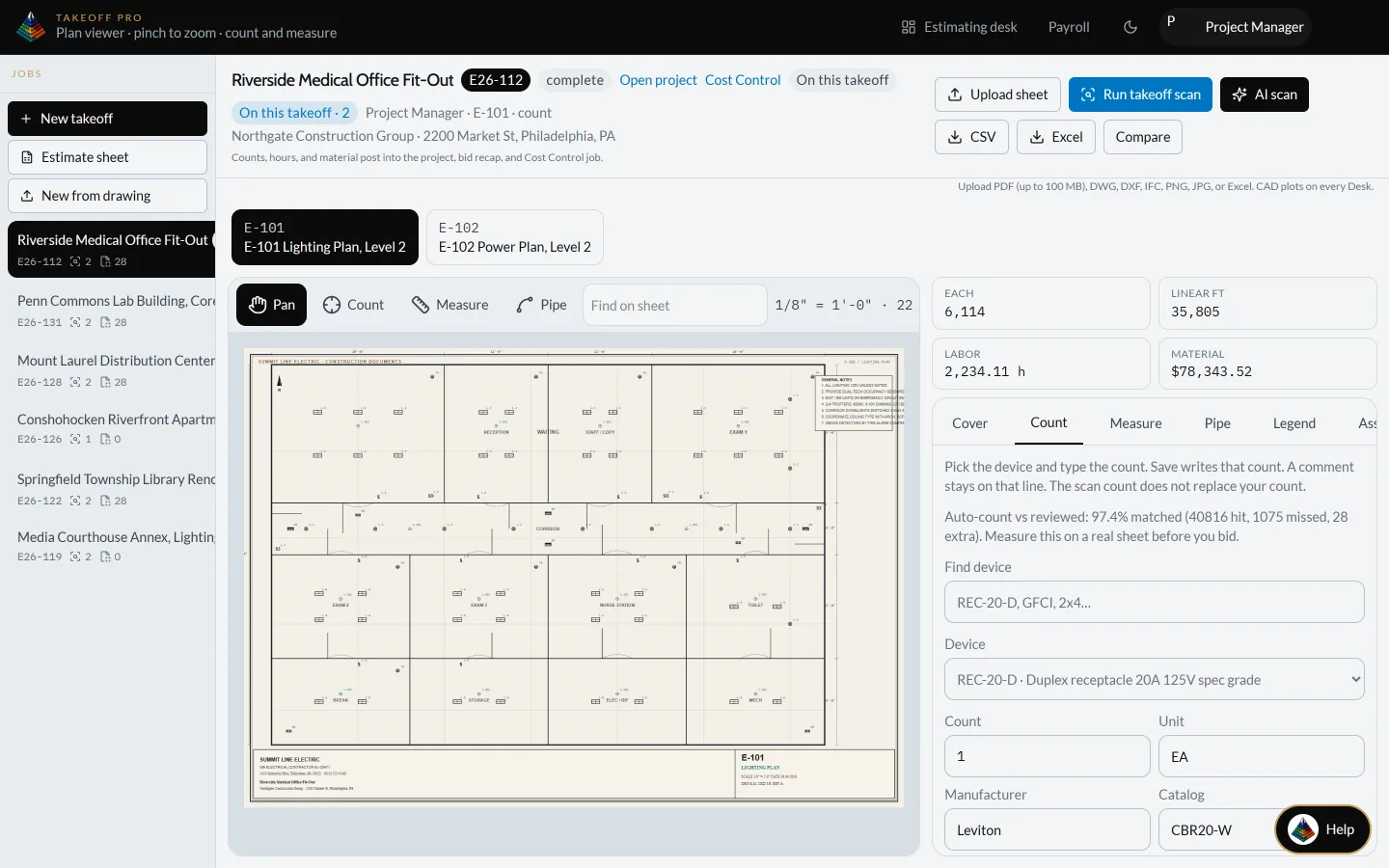
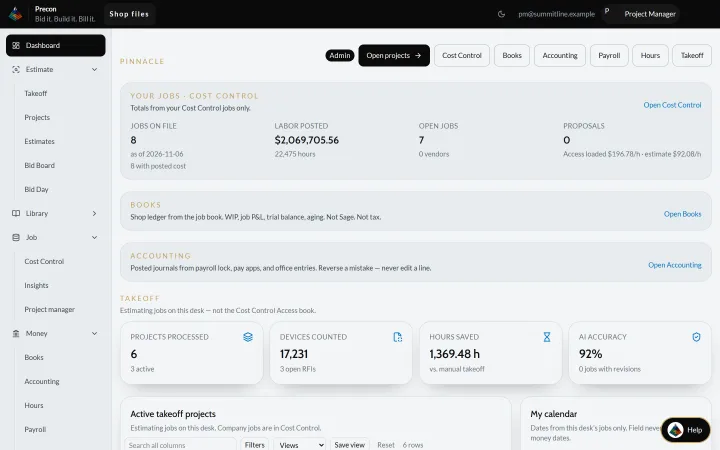
Real Pinnacle screen · sample company and data
Autoplay is on. Hero panels change every few seconds.
Sound familiar?
Pick your trade. These are the everyday problems from our General Contractor page, and where each one lands in Pinnacle Office.
Today
Buyout sheets live in email while job cost still shows last month's budget.
Bid it · on Pinnacle Office
Takeoff on the drawing. Every measurement becomes a quantity line in the estimate.
Today
Self-perform and sub bills never share one view against the sold number.
Build it · on Pinnacle Office
Purchase orders, bills, AP and AR post to the job and its cost codes.
Today
Owner change orders update the field log but not WIP or the schedule of values.
Build it · on Pinnacle Office
Log added scope on the job and the sold number moves with it, so extras get billed instead of forgotten.
Today
Executive view of live jobs is a slide deck, not the books.
Close the books · on Pinnacle Office
WIP and job P&L sit in the books next to journals and the trial balance.
Illustrative trade situations, not customer data or quotes.
How a job moves through Pinnacle
The takeoff becomes the estimate. The bid you win becomes a live job. Cost, change orders, pay apps, crew hours and the books all post to that same job.
Step 1 · Bid it
Open the plan set, measure lengths and areas, and count items right on the sheet. Every measurement becomes a quantity line in the estimate.
Pinnacle Precon →Real Pinnacle screen · sample company and data
Step 2 · Win it
Assemblies from your own parts and cost codes. Every project you're chasing sits on one bid board, and the bid you win carries straight into a live job.
Pinnacle Precon →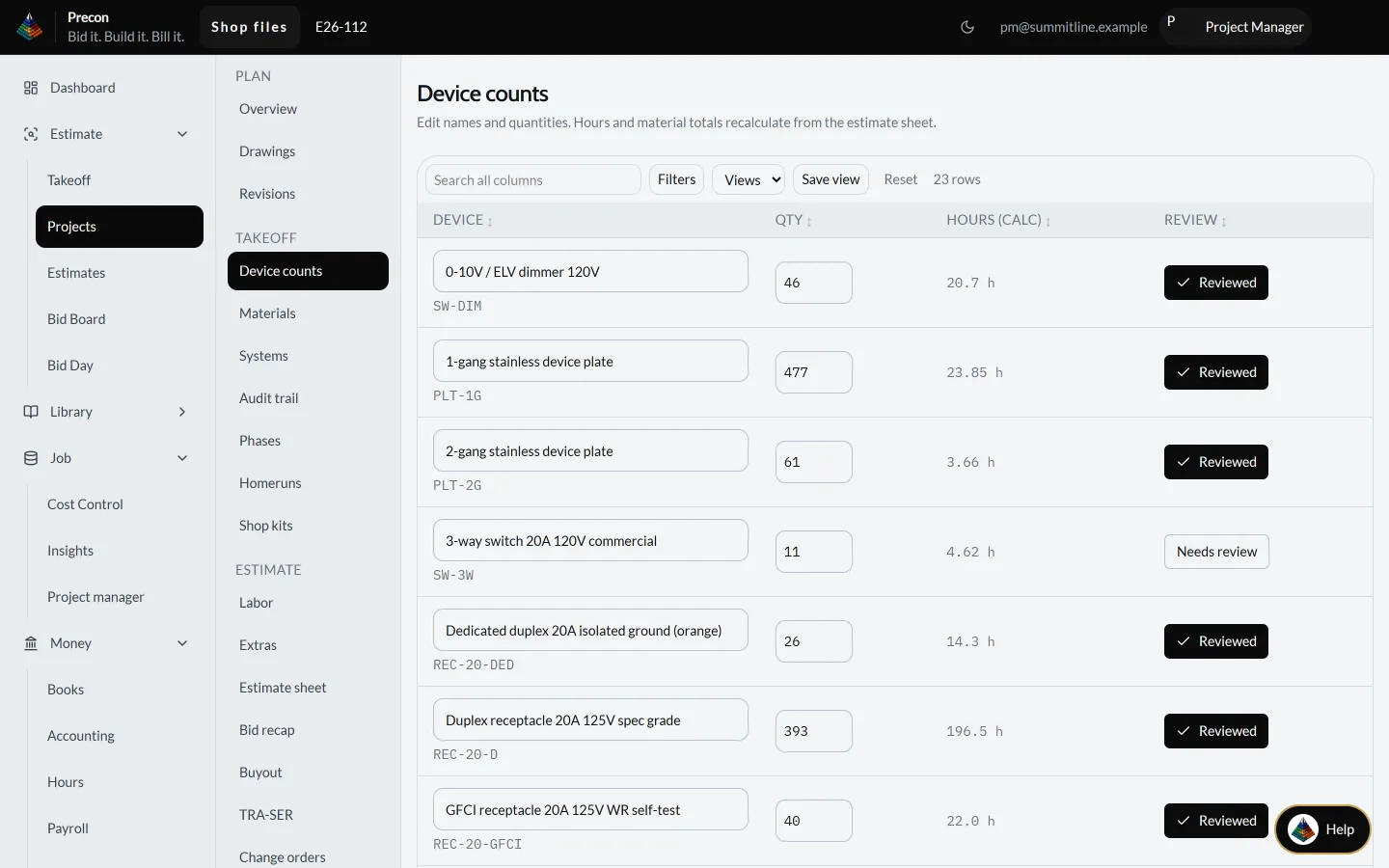
Real Pinnacle screen · sample company and data
Step 3 · Build it
Purchase orders, bills, AP and AR post to the job and its cost codes. See what's committed and what's spent while the work is still going.
Pinnacle Cost Control →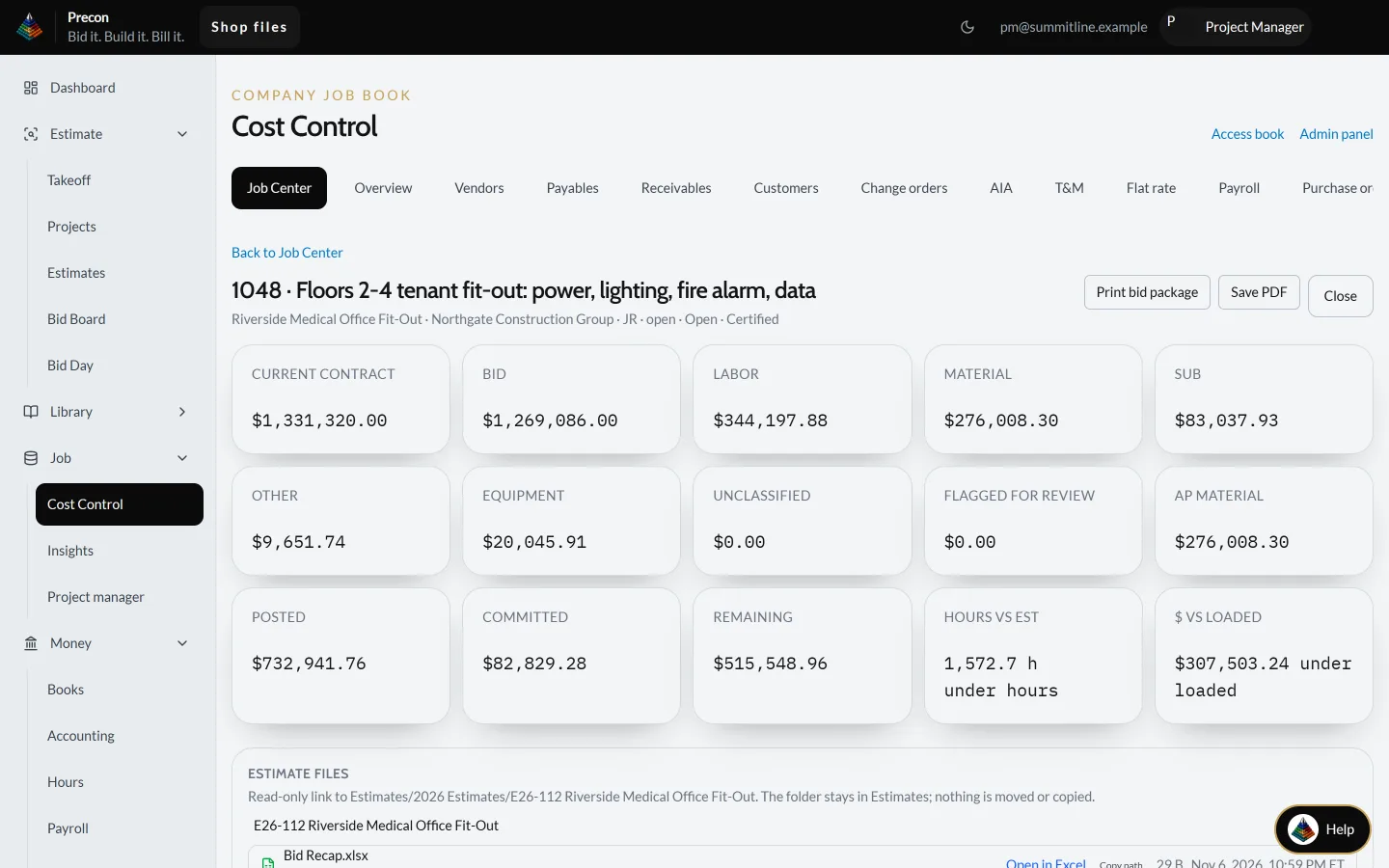
Real Pinnacle screen · sample company and data
Step 4 · Bill it
Build the G702 / G703 pay application from the job you already set up, with the schedule of values right there.
Pinnacle AIA Billing →AIA, G702 and G703 are trademarks of The American Institute of Architects; no affiliation or endorsement implied.
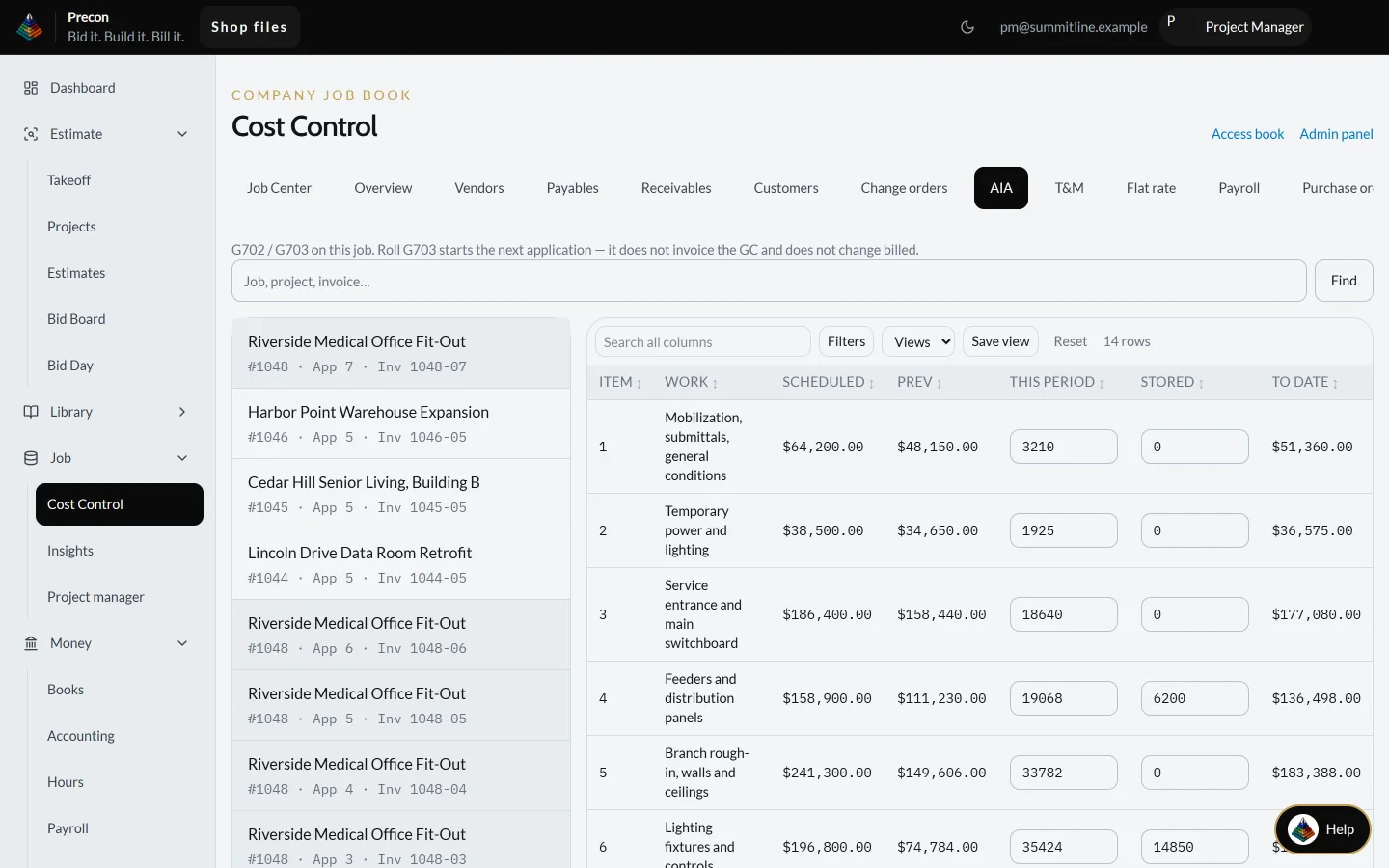
Real Pinnacle screen · sample company and data
Step 5 · Pay the crew
Post crew hours (straight, overtime, double time) and run payroll from them. Built today for a single shop.
Pinnacle Payroll →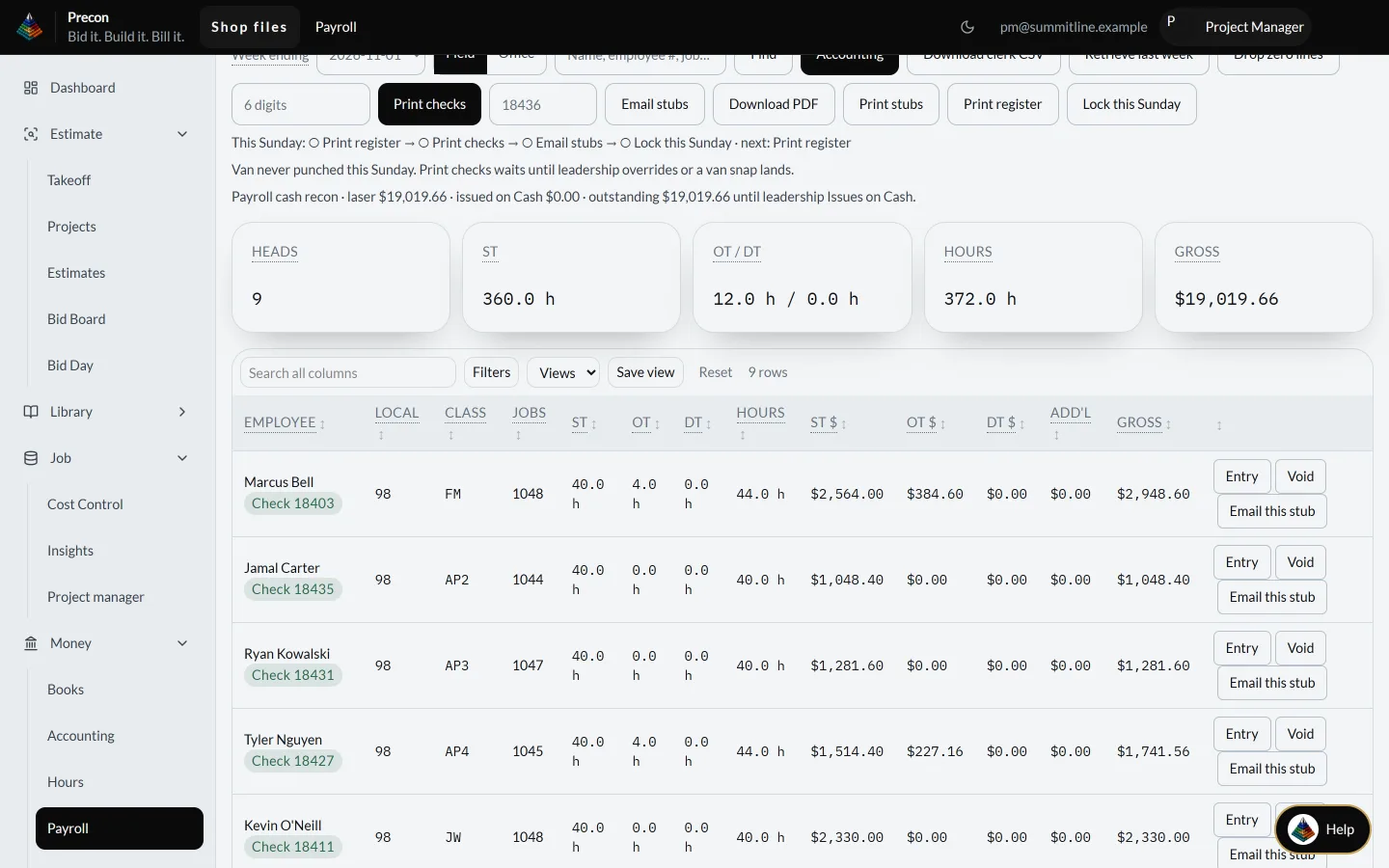
Real Pinnacle screen · sample company and data
Step 6 · Close the books
Making-and-spending charts, plus billed, leftover and job mix, pulled from your job files. WIP and job P&L sit in the books next to journals and the trial balance.
Pinnacle Office →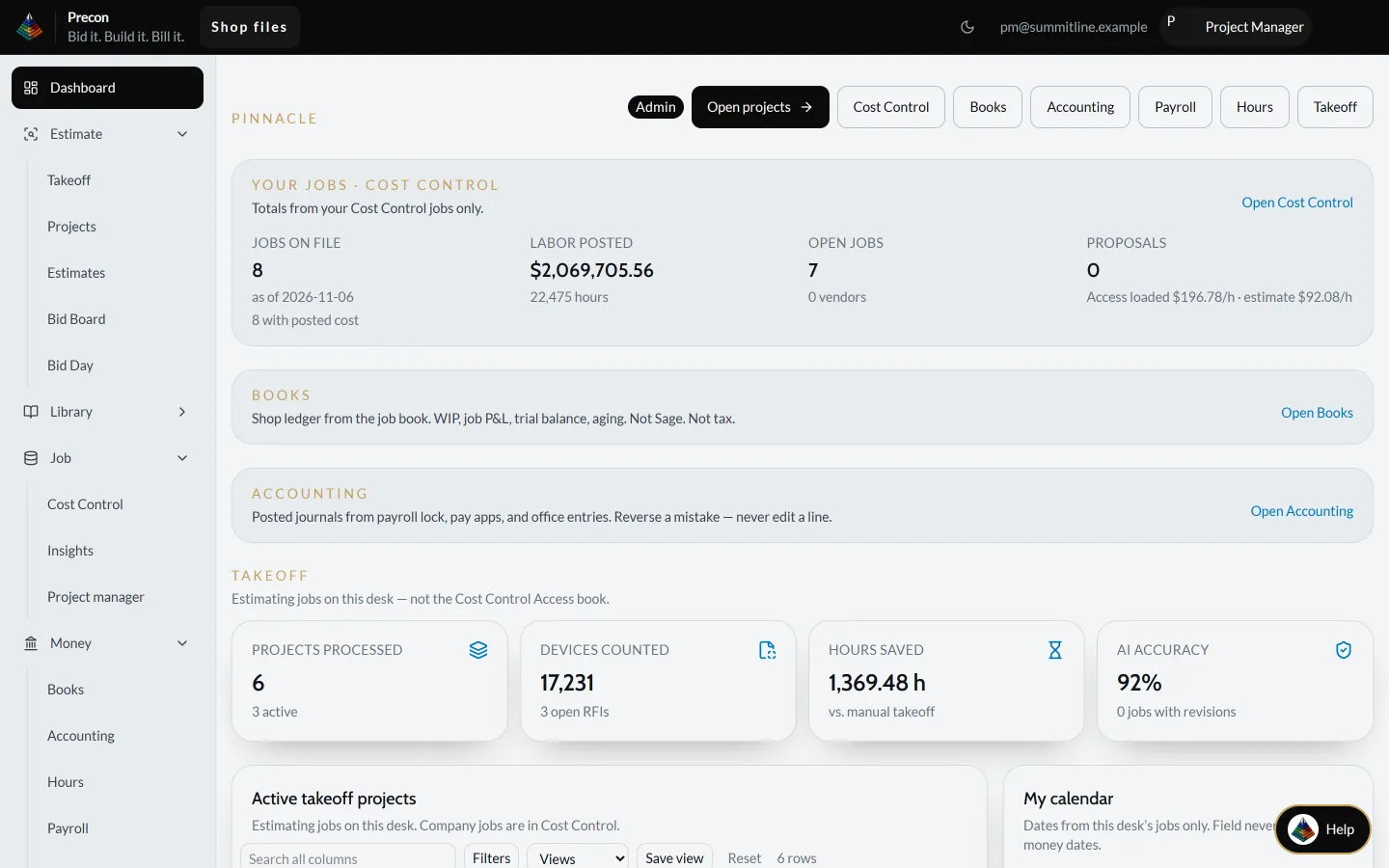
Real Pinnacle screen · sample company and data
What's in Pinnacle
Eleven modules, from the first drawing to the closed books, all in one package. Open any module to see every feature that is ready today, and what is coming in Early access.
Take the guided tour: one job from the plan sheet to payday, on six real screens
Take the drawings off, price them and build the estimate in one place.
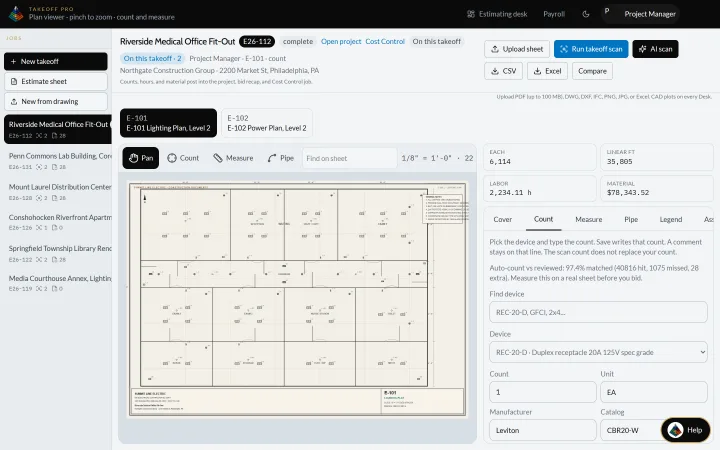
Ready today
Early access
Every job in one hub, from the first drawing to the closeout file.
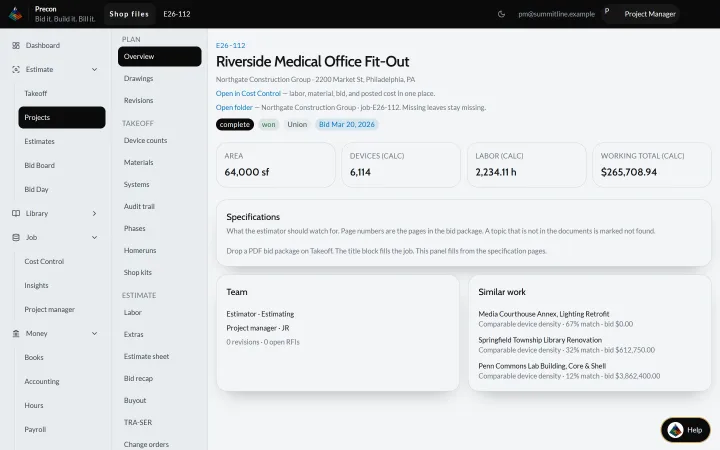
Ready today
From the invitation to the number you turn in.
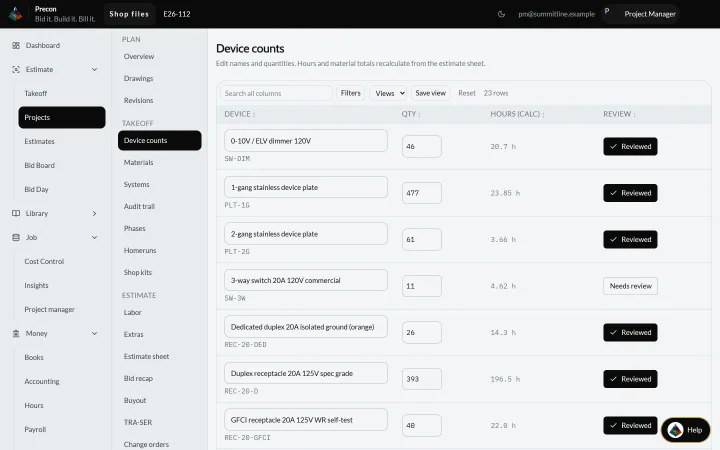
Ready today
Early access
Know where every job stands against the bid, every day.
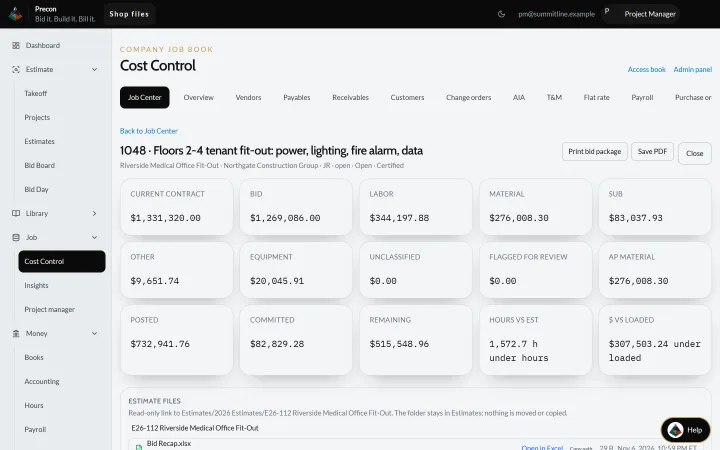
Ready today
Early access
Pay apps from the schedule of values, and the cash desk behind them.
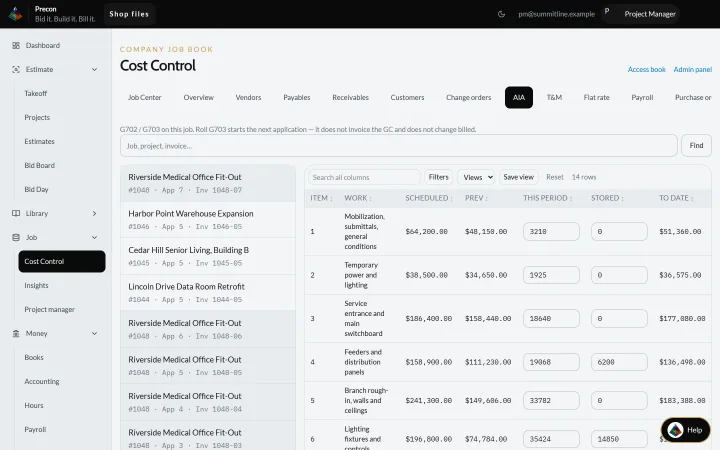
Ready today
Early access
Hours from the field, payroll in the office, one book.
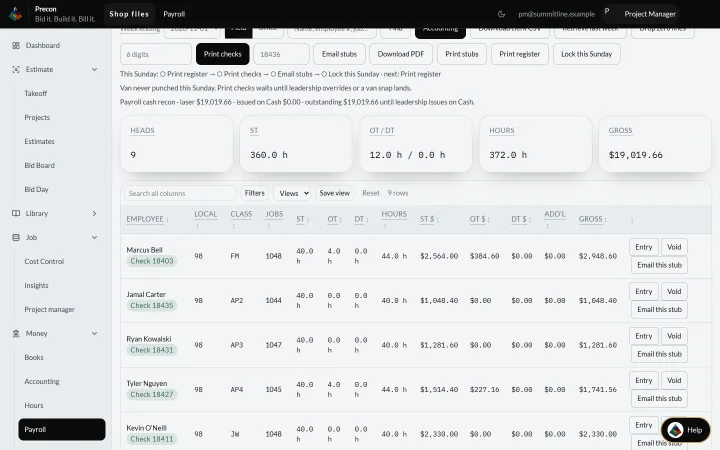
Ready today
Early access
WIP, job P&L and the books, straight from the jobs.
Ready today
Early access
Ask about a job or a desk and get answers with their sources.
Ready today
Ask out loud: job cost, documents, hours. It reads, it never pays or sends.
Whole module in Early access
One login, your company kept separate, and every change logged.
Ready today
Reach the office from the job site or from home.
Whole module in Early access
Request a demoAdd the modules you want with "+ Add to my demo", and we will show you exactly those.
Early access items are part of the Pinnacle product vision. See the full catalog or request a demo to see what fits your shop.
Built for your trade
Same office package for concrete through steel.

Pick a level to pull it out.
How a building goes up
The general contractor runs the whole job, and Pinnacle holds it all together: one plan and one set of books from the first stake to the last pay app.
The finishes make it a building people can use. They are only as good as every level under them.
Power, water, air and safety are roughed in and tested while the walls are still open.
The roof, the glass and the insulation close the building in, so the work inside can keep going in any weather.
The frame and the walls go up on the foundation and carry every floor, system and finish that comes after.
Everything starts here. The foundation is the first thing built and the last thing anyone sees, and every trade above it stands on it.
No building goes up without a good plan and great execution. Every trade has its place, and each one builds on the one before it. Pinnacle works the same way: the takeoff feeds the estimate, the estimate becomes the bid, and the bid you win becomes the job. From there the job’s own numbers carry into billing, payroll and the books, so each step starts where the last one left off.
All 20 trades
By role
Each person touches a different part of the same job.
See every job and the books without building a report.
Take it off the drawings and build the number you will sell.
Run the job against the number you sold.
Bills, pay apps, hours and the books in one place.
Contractor FAQ
One package. Pinnacle Office is the entire office in one package, estimating to accounting. Takeoff, estimate, and bid in one place, then carry cost, billing, and hours on the same job.
Pinnacle is designed to run a Move-in Check when you switch systems and to auto-import from your old books Early access. Request a demo and we'll look at how your office runs today.
Post crew hours (straight, overtime, double time) and run payroll from them. Built today for a single shop. Locking payroll when the period closes, for any shop, is Early access.
No. Pinnacle is designed to prepare and track certified payroll, WH-347 and tax worksheets Early access. Pinnacle does not file or certify with any agency.
Hours from your phone is built today. Taking hours and daily logs offline on the phone is Early access.
Pinnacle is designed to host on your server or ours Early access. Ask us in a demo about your setup.
Items tagged Early access are part of the Pinnacle product vision. Request a demo to see what fits your shop.
Every trade uses the same Pinnacle office package, from the estimate to the books. See the 20 trade pages.
We'll walk through Pinnacle on your kind of work.